Your field team is out there right now, and you have no idea where half of them are.
That’s not an exaggeration. It’s the reality for hundreds of operations managers running teams without the right field force management software. Managers fudge attendance. Conveyance claims balloon without anyone noticing. Clients get skipped, and nobody flags it. By the time you spot the pattern, weeks of productivity have already walked out the door.
The right platform doesn’t just track people. It closes the gap between what your team reports and what’s actually happening on the ground.
Here are five platforms worth your attention, with a clear-eyed look at what each one does well and where each one falls short.
What Should You Look for in Field Force Management Software?
Not every platform is built for the same job. Before comparing options, get clear on what your operation actually needs.
Real-time location tracking is the baseline. If the software can’t show you where your team is right now, it’s not field force management. It’s a scheduling tool with a logo.
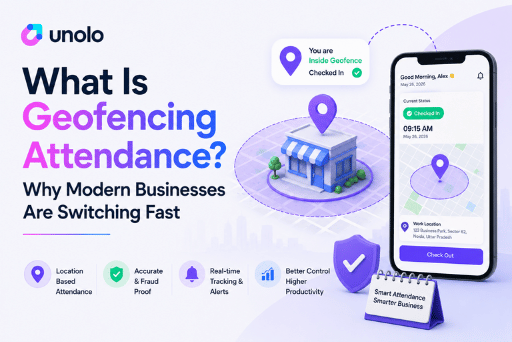
Attendance accuracy matters just as much. Geo-tagged and geo-fenced attendance stops buddy punching and location fraud cold. Manual check-ins are easy to game, while location-verified ones aren’t.
Task and visit verification keeps the field honest. Can your team log client visits with photos and geo-stamps? Can you assign tasks and confirm completion without calling anyone?
Expense and conveyance automation is where companies quietly haemorrhage money. Since most field teams claim conveyance manually, a platform that cross-checks actual distance against claimed distance pays for itself fast.
Ease of deployment is often underrated. A system that takes six months to configure will see low field staff adoption regardless of how many features it has.
Finally, think hard about who the software is actually built for. Some platforms are enterprise CRMs with field service modules bolted on. Others are built ground-up for field teams. That difference shows up in the daily user experience every single time.
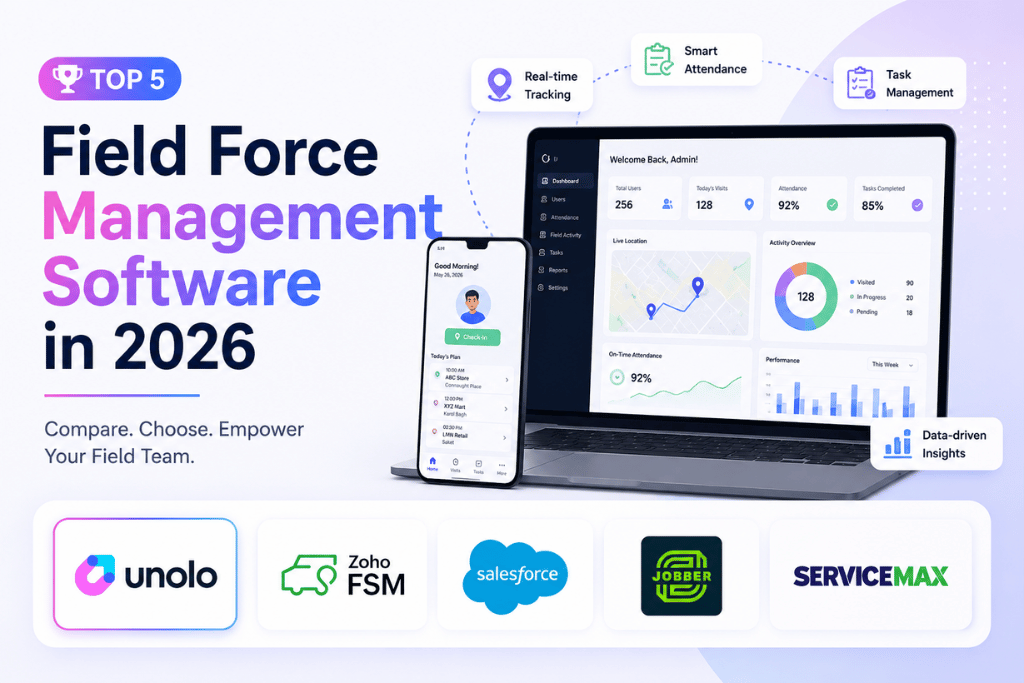
1. Unolo: Best Overall Field Force Management Software
Unolo is purpose-built for one thing: giving you complete operational visibility over field employees. It’s not a CRM with tracking added on. It’s field force management from the ground up, and that focus is obvious the moment you start using it.
The platform covers real-time GPS tracking, geo-tagged attendance, geo-verified client visits with photos and forms, automated conveyance claims with a distance-variance check, expense management, PJP and beat plan generation, and order booking directly from the app. Since the entire setup takes about ten minutes, teams go live fast. Users on Capterra and SoftwareAdvice consistently note this, and the customer support response backs it up.
What sets Unolo apart for teams in pharma, FMCG, and EPC is the depth of the attendance and conveyance layer. The odometer feature cross-checks claimed distances against GPS-logged routes, the kind of accountability most field force management software skips entirely. Add geo-fenced punch-in, and you’ve removed the two most common sources of cost leakage in field operations.
Reporting is equally strong. Managers get timelines, route histories, visit summaries, and performance dashboards without needing to build custom reports. As a result, even large teams get actionable data from day one. Over 1,000 companies and 20,000+ field staff currently run on Unolo.
Pricing is custom, though there’s a 14-day free trial to start with.
One honest caveat: if your primary need is asset-centric service management (complex warranty tracking, depot repair, SLA contracts), Unolo isn’t the right fit. It’s built for field sales, service visits, and workforce accountability, not heavy equipment maintenance.
2. Salesforce Field Service: Best for Enterprises Already on Salesforce
Salesforce Field Service is a serious enterprise product. Scheduling optimisation, dispatcher console, work order management, mobile access, AI-assisted job assignment, and deep CRM integration make it one of the most feature-complete field service platforms available.
The Winter ’26 release added voice-enabled workflows, enhanced analytics powered by Tableau, and advanced capacity planning tools. For a company already running Sales Cloud or Service Cloud, the native integration is worth a lot: one interface, one data model, no middleware.
That said, the tradeoffs are real. Implementation is complex, routinely requiring a business analyst and often a Salesforce partner. Mobile app customisation also has hard limits, particularly around embedding images and HTML in offline mode, which matters for techs working in low-connectivity areas. Since licensing tiers, implementation fees, and training all stack up, smaller teams frequently find it over-specified for their actual needs.
This is a platform that rewards organisations with the budget and Salesforce expertise to use it properly. Without those, it becomes expensive shelfware.
Pricing is subscription-based, per user per month. Contact Salesforce for full pricing details.
3. ServiceMax: Best for Asset-Intensive Field Service
ServiceMax, now part of PTC, was built specifically for asset-centric service. Warranty management, contract entitlements, SLA tracking, installed base visibility, and depot repair workflows are all baked in. This is the kind of infrastructure that makes sense when your field team maintains expensive, regulated equipment.
Pricing starts at $59 per user per month for the Express tier (five-user minimum), with the Enterprise edition covering advanced inventory management and return processing. Because it’s built on Salesforce Chatter, field techs get photo sharing and direct messaging baked in without a separate tool.
The upside is clear specificity. If your team services industrial machinery, medical devices, or utility infrastructure, ServiceMax handles edge cases that generic field force management software doesn’t. The downside, however, is that same specificity working against you elsewhere: for a typical field sales or service team without complex asset requirements, it’s expensive and over-engineered.
4. Zoho FSM: Best for Small Businesses in the Zoho Ecosystem
Zoho FSM handles the standard field service workflow competently. Work order creation, scheduling via a dispatch console with Gantt and Calendar views, live location tracking, job sheets, and invoicing through the Zoho Financial Suite are all included. The 2025 update added workflow automation via notes, multi-asset transaction support, and an Avalara integration for automated tax calculations.
Pricing starts at $25/month, with four editions running up to Premium at $55/month for 60 appointments. The appointment-based pricing model is worth scrutinising before you commit, since costs shift once your volume grows past the included threshold.
The real value here is ecosystem fit. If your business already runs on Zoho CRM, Zoho Books, and Zoho Analytics, Zoho FSM slots in without friction. Outside that ecosystem, though, the integration advantage disappears, and you’re paying for a mid-tier platform at roughly the same price as stronger alternatives.
GPS tracking and attendance depth is noticeably lighter compared to dedicated field force management software like Unolo. It works well for job-based service dispatch, yet falls short when you need the full accountability layer (location verification, conveyance claims, beat planning) that a field sales or delivery workforce demands.
5. Jobber: Best for Home Services SMBs
Jobber is the most widely adopted field service platform in the SMB home services space, with over 200,000 users and more than $100 million in funding. The product philosophy centres on simplicity: field techs learn it in a day, and the core workflow of quoting, scheduling, dispatching, and invoicing runs end to end without any configuration.
Standout features include drag-and-drop calendar scheduling, route optimisation overhauled in late 2025, automated client follow-up, and an AI receptionist for missed calls. The Client Hub portal also lets customers approve quotes, pay invoices, and track jobs without picking up a phone.
Pricing runs from $49/month for a single user to roughly $249/month for the Grow plan, billed annually. Per-user costs add up as team size grows, and high transaction fees show up repeatedly in user reviews alongside occasional duplicate invoice issues on mobile.
Jobber works well for exactly its target user. It’s less relevant, however, for businesses managing large field teams across territories, or operations that need granular location tracking, conveyance automation, and workforce accountability: the features that define a true field force management software platform.
Which Platform Should You Choose?
Small home service businesses staying under 15-20 staff will find Jobber gets the job done at a reasonable entry price. Companies already deep in Salesforce are better served by Field Service. Asset-heavy operations in manufacturing or medical equipment have specific needs that ServiceMax handles well.
That still leaves the largest segment: businesses managing field sales teams, service engineers, or delivery staff who need real operational control, especially across India and high-volume field workforces. For them, Unolo is the clearest choice. It’s built specifically for this problem. Since onboarding is fast and the accountability layer runs deep, the core workflow from attendance to conveyance to client visit verification handles the exact points where field operations usually break down.
If you manage a field team and want to see how Unolo handles this, book a free demo at unolo.com.